Listen to the demo
A piece of music composed for Lumières, and a room that pulses to it. On every beat, the lights take a bright color, then fade back; between beats, they never go completely dark. The moving heads and the spider keep their movement.
0:00Music composed for Lumières
Pause Resume The music couldn’t be played on this device.Here, your browser plays the music, and the room pulses on its beats: the ones Lumières finds in it. In the room, the PC or the phone listens to the music.
Starting the beat
- Start the musicOn the PC, with the music player you usually use.
-
Click “Beat”
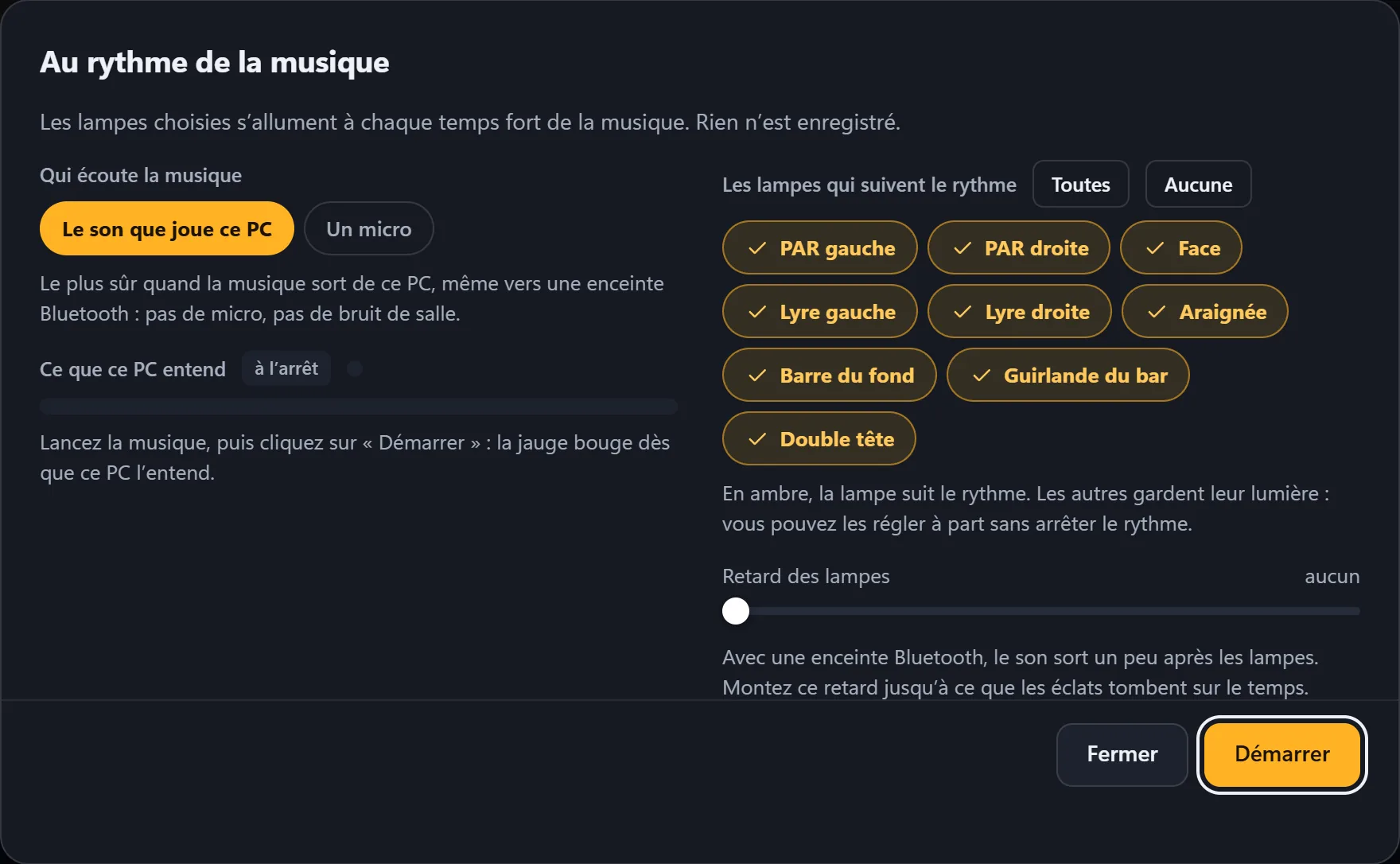
At the top of the screen, next to the strobe. The To the beat of the music window opens: on the left, what listens; on the right, the lights that follow.
-
Click “Start”
The What this PC hears meter moves as soon as the PC hears the music; the window stays open so you can watch it, and Close puts it away without stopping the beat. The Beat button turns amber, and a banner shows it on the Lights and Layout screens.
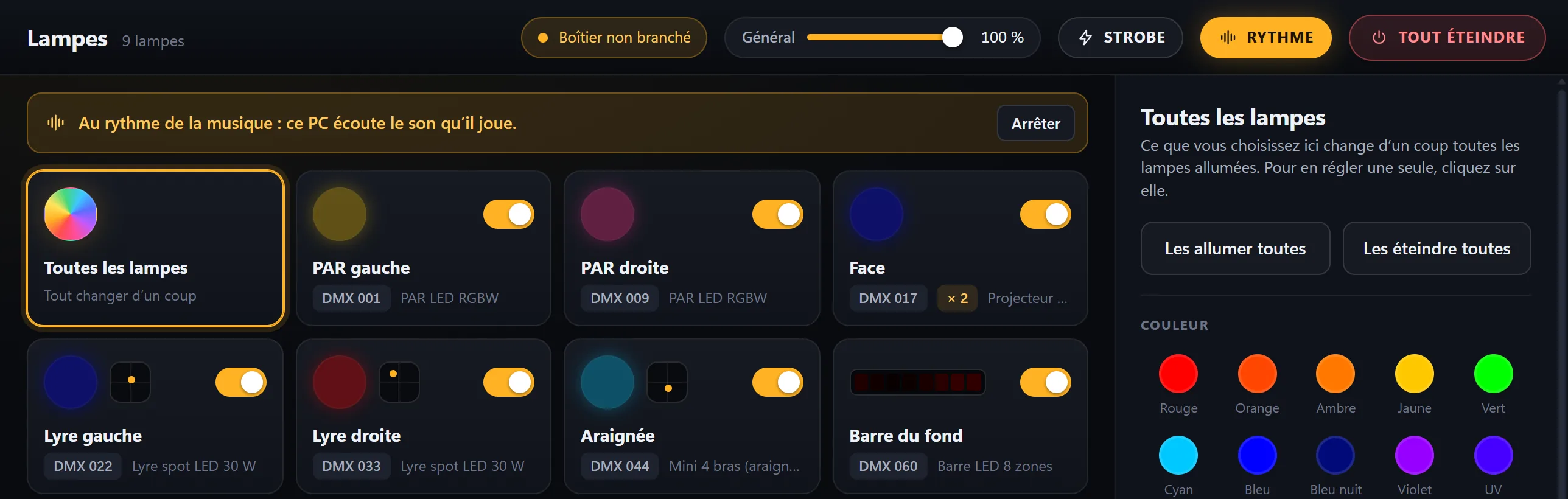
On every beat, each light that follows takes a bright color of its own, then the flash fades; between beats, it keeps a little light. Its movements and patterns stay those of the current scene. A moving head with a color wheel only changes color every fourth beat: its wheel needs that break.
What listens to the music
| Option | When to use it |
|---|---|
| The sound this PC is playing | The music comes out of this PC, even to a Bluetooth speaker. It’s the most reliable: no microphone, no room noise. |
| A microphone | The music comes from somewhere else: a sound system, musicians. The microphone listens to the room; choose it from the list, or keep the PC’s usual microphone. |
If the PC hears nothing, the window says so and suggests what to do: turn up the music, check that the Windows sound isn’t muted, or switch to the other way of listening.
While the microphone of a Bluetooth headset or speaker is listening, the sound from that device becomes poor. Lumières warns you; use the PC’s microphone instead.
The lights that follow
A light in amber follows the beat; one click removes it or adds it back. All and None are quicker. A light you remove keeps its own light: for example, uncheck the spotlight that lights the stage from the front; it stays on while the rest pulses, and you can adjust it separately without stopping the beat. Your choice is kept for next time.
With a Bluetooth speaker
A Bluetooth speaker plays the sound slightly after the lights. The Light delay slider, from “none” to 0.40 s, makes the lights wait: turn it up until the flashes land on the beat. It only appears with The sound this PC is playing: a microphone hears the sound at the same time as the room.
Stopping
Stop on the banner, or Stop the beat in the window: the lights go back to the previous scene. Starting a scene, touching a light that follows the beat, starting an act or Blackout also stops it. No sound is recorded: there is nothing to erase.
The phone can also listen to the room, from its Beat tab: see the phone. The phone then keeps the beat; in the PC’s Beat window, Listen with this PC hands it back to the PC.