My lights
Every light in the room, with its name, its profile and its address. At the top, your DMX universe as a strip: the space each light takes among the 512 channels. Two lights that overlap are flagged “needs fixing”.
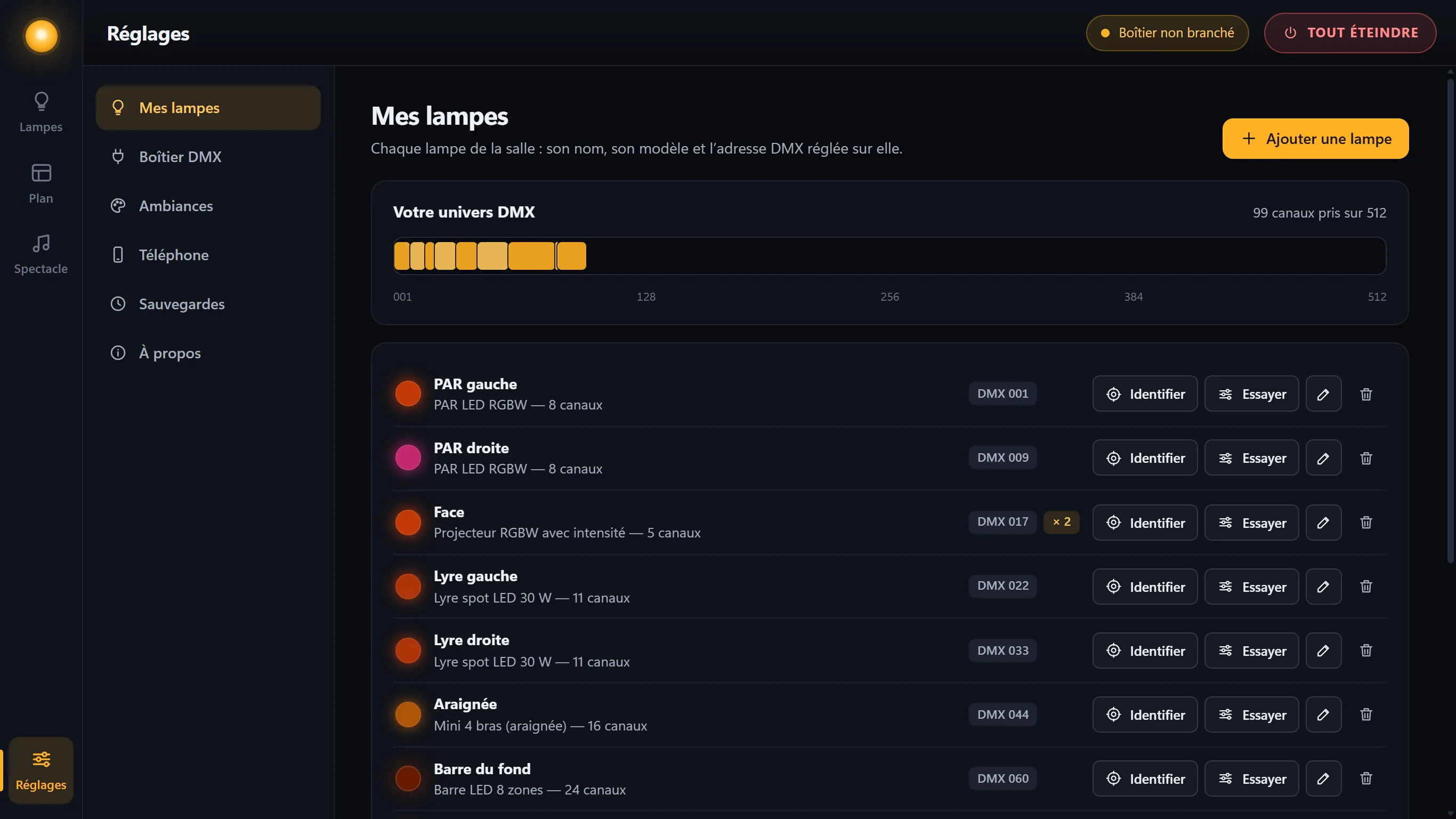
Identify makes the light blink white for a few seconds, so you can find it in the room.
Testing a light channel by channel
- “Test” on the light’s rowA window opens, with one slider per channel.
-
Move the sliders, in front of the light
During the test, the light only obeys these sliders, from 0 to 255. Lasers and resets stay blocked.
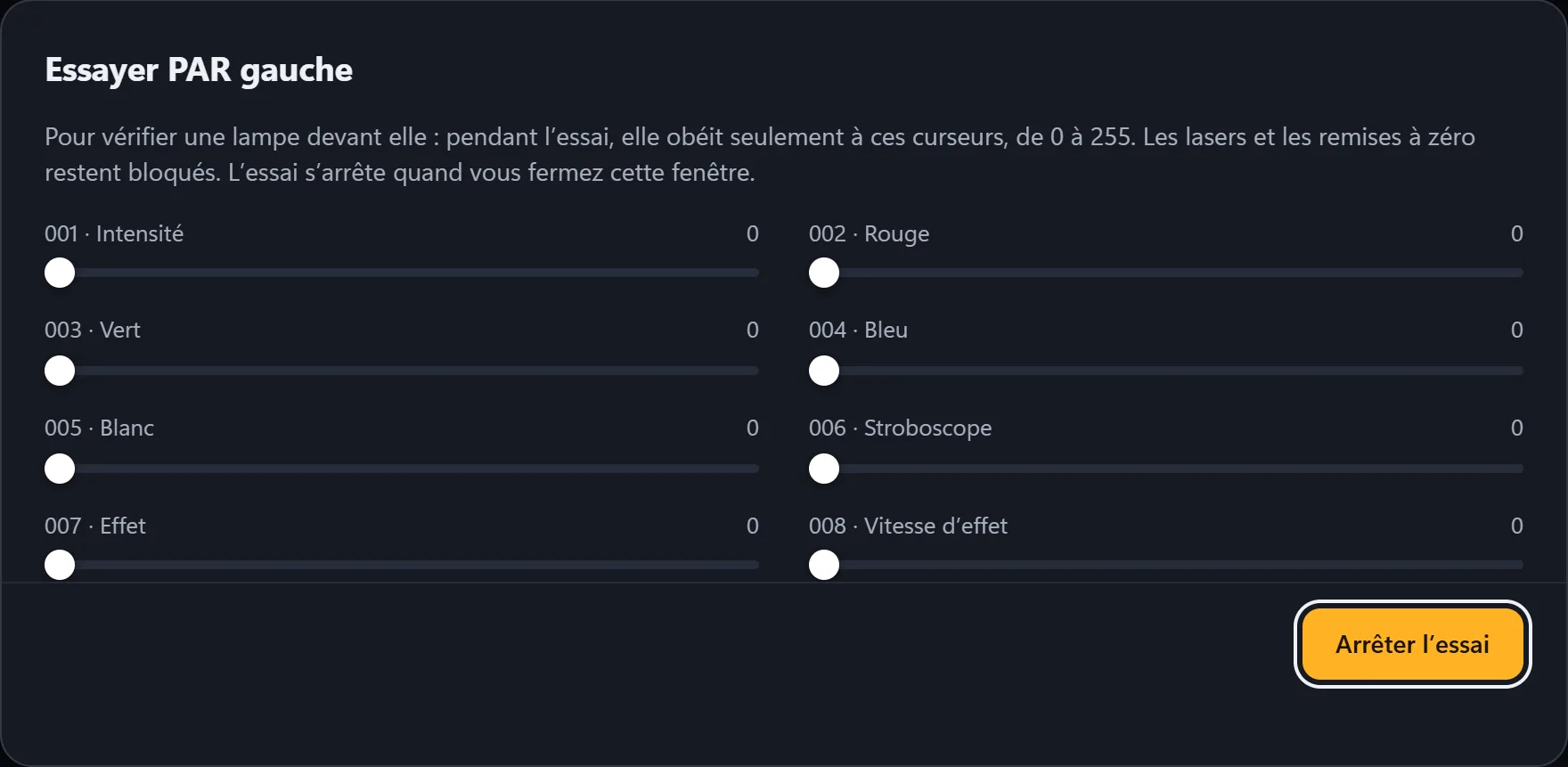
- “Stop test”The light goes back to its settings.
Editing or removing a light
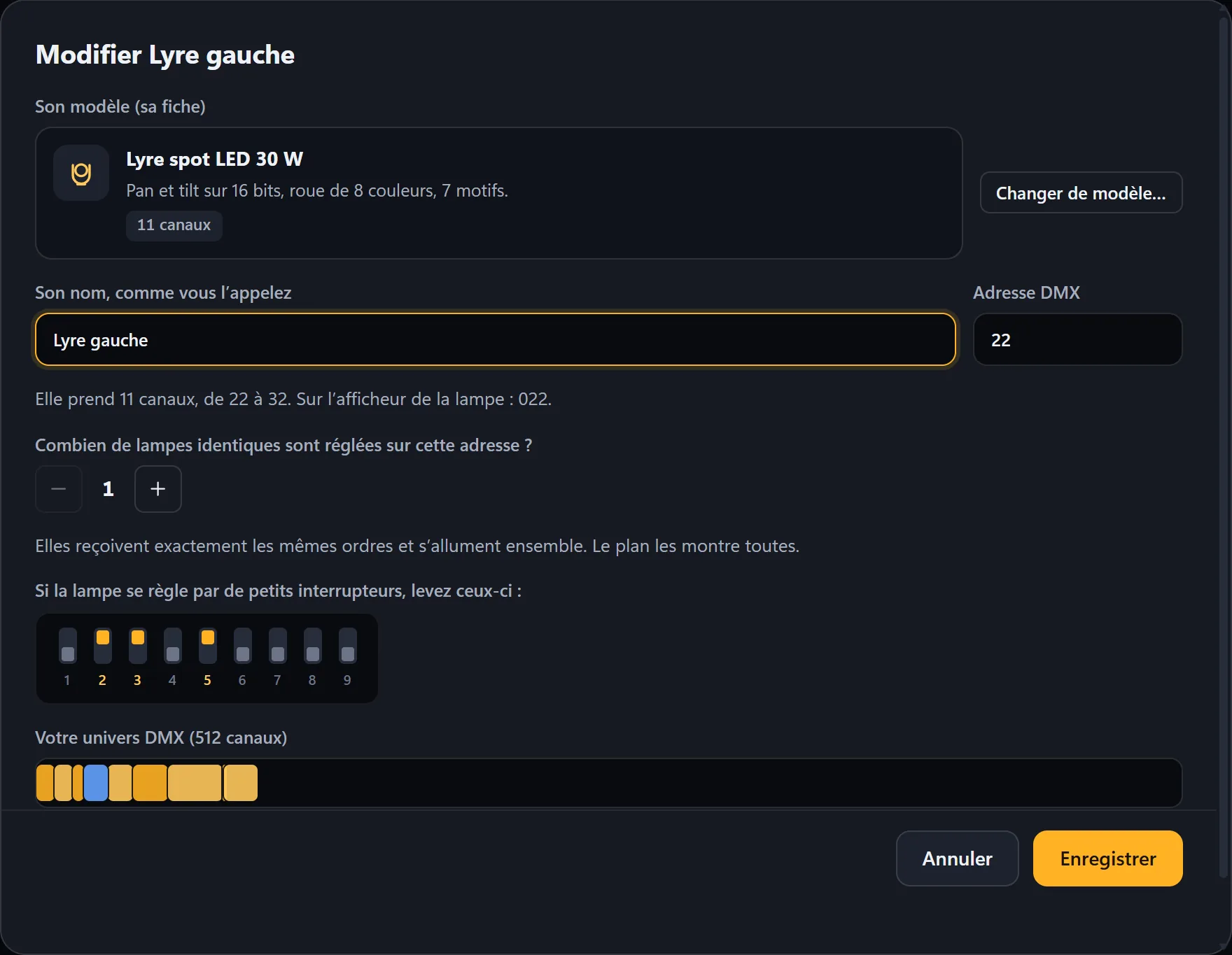
The pencil changes its name, its address or its profile; its settings in your scenes follow it. The trash removes it from the setup without erasing anything: it can be restored from “Removed lights”, with all its settings.
Creating a light’s profile
For a light that isn’t in the library. Have its manual open at the “DMX” page: for the chosen mode, it says what each channel does.
-
Open the editor
In My lights, Create a profile (or, while adding a light, My light isn’t in the list). To start from a similar profile: “Start from an included profile”.
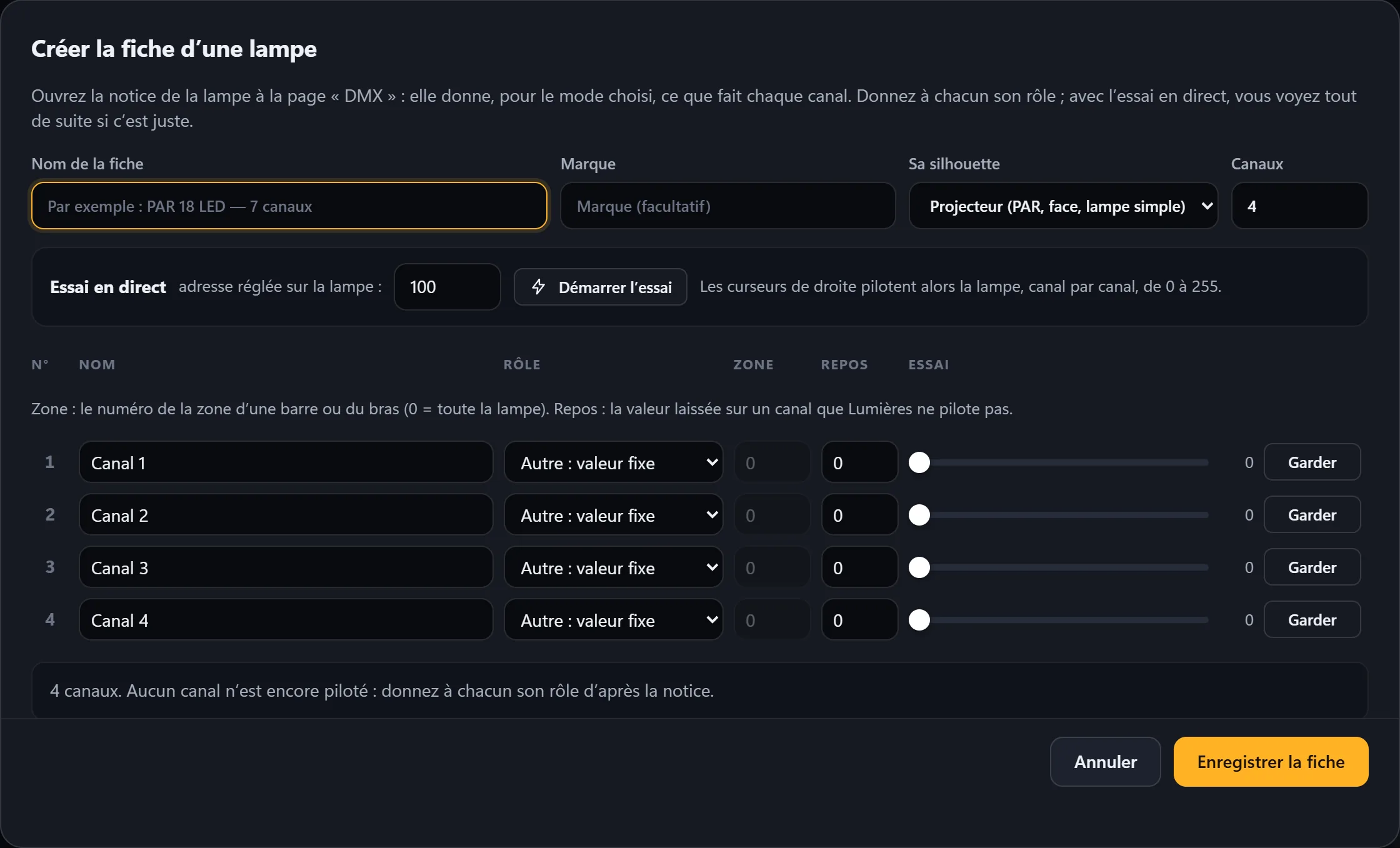
- Its name, its shape, its number of channelsThe shape is used to draw the light on the cards and on the layout.
-
One function per channel
In the order of the manual: intensity, red, green, blue, strobe, pan, tilt… A channel that Lumières shouldn’t control gets “Other: fixed value”. A laser or a reset gets a blocked function: it will never be written. At the bottom, Lumières tells you what it will be able to control.
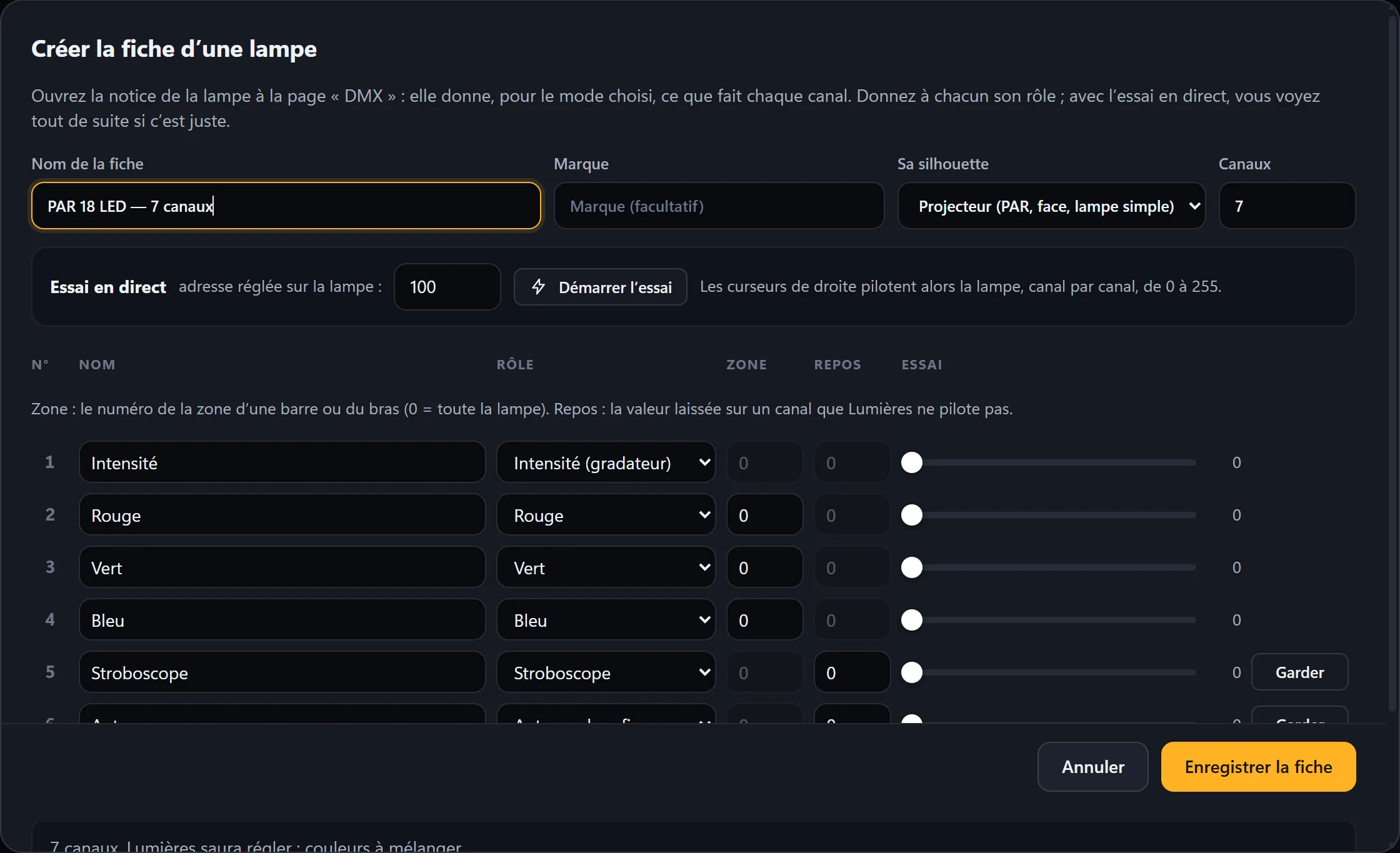
- Live testingWith the address set on the light, click Start test, then move the sliders: each channel should do what its function says.
- “Save profile”It joins the list of profiles, marked “My profile”.
Amber and UV channels stay off for now: colors are made with red, green, blue and white.
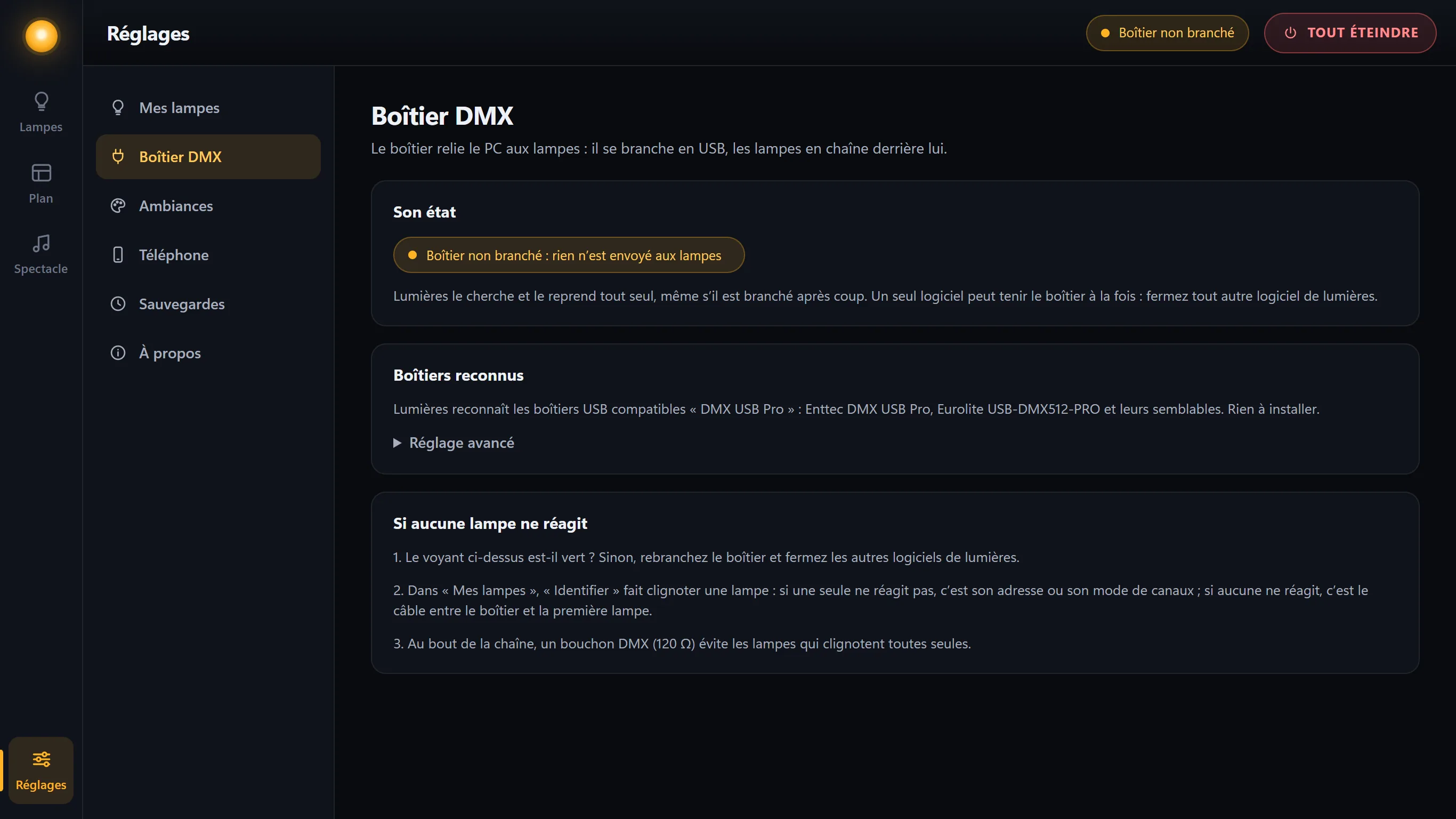
DMX interface
The interface status, the recognized interfaces, and three checks if no light responds. The port speed is set to 250,000, the usual value: only change it if no light responds.
Backups
Every day Lumières is used, it keeps a backup of your lights, your profiles and your scenes. Restore puts everything back as it was that day: the room goes dark, and today’s data is set aside first.
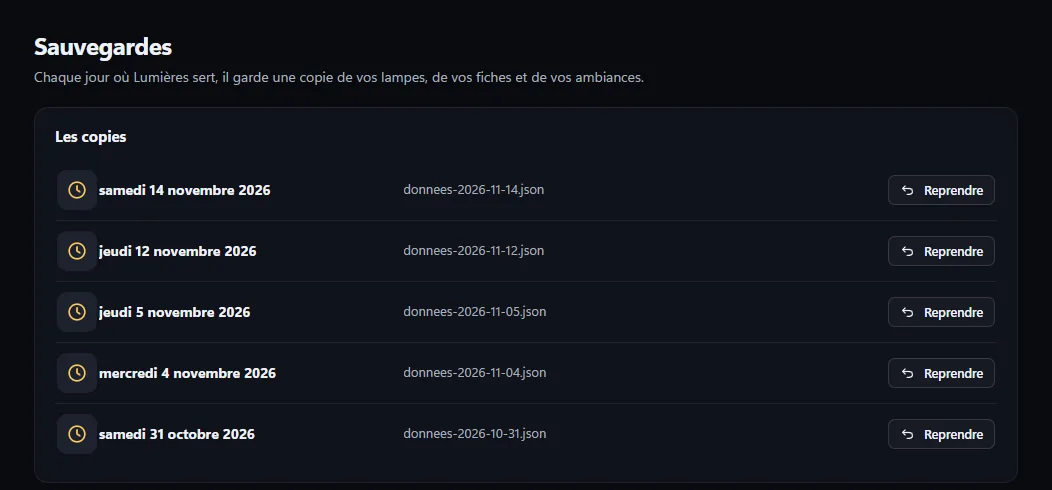
Moving to a new PC: everything Lumières keeps fits in a single folder, shown in this section. Copy it to the same place on the new PC: your lights, your scenes and your acts come with it.
Safety
Some lights include a laser; others have a “reset” channel that restarts their motors in the middle of the evening. Nobody knows where a laser is pointing when it turns on: Lumières doesn’t take that risk.
- Channels marked laser, reset or forbidden are never written: not in a scene, not in an act, not during a test.
- In the included profiles, these channels are already marked; a profile you create can’t replace an included profile.
- A light removed from the software keeps its place and its blocked channels: it is often still connected.
- When you close it, Lumières asks for confirmation, then all the lights turn off.
- Only phones paired with their pairing code are obeyed, and a phone can be removed in one click.